
Make Launch Readiness A Team Effort
An online store launch is a sequence of business decisions and checks, not just the moment a website goes live. Start by agreeing what the store needs to do for your customers and your business, then plan the work from product setup and payments through to testing and ongoing improvement. The Australian Government’s ecommerce guidance recommends choosing a selling method and platform that suit the business, its customers and its products.
Customers need to find products, understand what they are buying, pay securely and receive what the store promised. That means checking product details, delivery information, checkout, customer messages and support before opening the store to the public. A professional, usable website can also support customers who shop in person, as SmartCompany’s retailer web checklist notes.
These tasks may involve the owner, staff, developers, marketing and customer support. Give each person clear responsibilities and enough time to test their part, report problems and fix them. At webteam.au, tailored website and marketing work is supported by personal, local service, which can help small businesses coordinate digital tasks without managing every specialist themselves.
Build a short launch plan with deadlines and a named person responsible for each check. Do not treat launch day as the finish line: watch customer feedback and store performance, then make practical improvements as you learn what shoppers need.
Set The Business And Customer Foundations

Before choosing products or building pages, define who the store is for and what problem it should solve. Speak with prospective customers, review feedback and look at the questions people ask about similar products. Treat these as clues to test, not proof that every shopper wants the same thing.
Then decide what you will sell and how you will source or make it. Check supplier reliability, stock levels, lead times, storage and delivery arrangements against the promises you plan to make online. A web team can help turn those decisions into clear product pages and navigation, but the business needs to confirm that its fulfilment can deliver what the site offers.
Set prices with the full cost in view, including product costs, shipping, payment fees and other operating expenses. Make sure discount claims and descriptions are accurate and supportable. The Queensland Government’s guidance on online business obligations explains that online advertising must not mislead customers and that consumer guarantees also apply to online sales.
Give the launch a clear purpose: who you serve, what you offer and why a customer might choose it. A focused range can make your position easier to explain than copying a physical shop’s entire assortment.
Plan how the store fits alongside existing shops, marketplaces or social channels. Marketplaces can introduce products to shoppers, while an owned website gives the business more control over its presentation and customer journey. business.gov.au’s ecommerce guidance recommends choosing a selling method based on the business, its customers and its products. Use each channel for a defined purpose, rather than assuming one must replace the others.
Choose A Platform That Fits Your Business
The right platform is the one that fits your products, customers and team, not necessarily the one with the longest feature list. An ecommerce plug-in or hosted platform can be a practical starting point, while a customised build may suit requirements that standard tools cannot meet. Compare the setup effort, delivery timeframe and skills needed to maintain each option. Australian Government ecommerce guidance recommends researching platforms in light of the business and what it sells.
Look beyond the advertised subscription price. Add likely transaction and payment-provider fees, hosting, themes, apps and ongoing support, then check whether quoted amounts include GST. Fees and features can change, so confirm current costs directly with providers before deciding.
Check that the platform supports your product types, Australian payment options, shipping rules, stock processes and required integrations. Make sure customer policies can be displayed clearly, and consider who will handle updates, security and troubleshooting. Ask how difficult it would be to move your products and customer data if the business later outgrows the platform.
A marketplace may be quick to set up and put products in front of shoppers already using it, but it can limit control over branding, policies and the customer experience. An independent store gives you more room to present the business on your terms, though you must attract visitors yourself. business.gov.au explains these trade-offs.
Build A Store Customers Can Use
A useful store helps shoppers move from browsing to buying without guesswork. Put products into clear categories, keep important sections easy to reach, and use menu labels customers will recognise. Check that search, filters, category pages, product variations and links all work as intended.
Product pages should answer practical questions before a customer needs to ask. Use descriptive titles and clear copy, show accurate prices and available options, and choose images that represent the product faithfully. Add descriptive alternative text so people using assistive technology can understand what an image shows.
Plan for phone screens from the start, not as a final design adjustment. Test menus, text size, tap targets, image display, page speed and checkout on mobile as well as desktop. Where possible, check the experience on both iOS and Android devices.
Make delivery and collection details visible before checkout. State costs, locations, timeframes and return conditions clearly, and check that your fulfilment promises are affordable and realistic. Australian retailers can use business.gov.au’s ecommerce guidance to consider how their online store will support payments, shipping and logistics.
Choose payment methods that suit your customers and are available through your provider. Compare fees, ease of use and fit with your store systems, then test the payment flow and security settings before launch.
Finish by asking someone unfamiliar with the store to find a product and complete a purchase. Their pauses or confusion can reveal problems that the team, already familiar with the site, may overlook.
Prepare Policies, Privacy And Legal Checks
Before opening the store, make the policies customers need easy to find. Link website terms, sales terms, privacy information, shipping details and returns information from places such as the footer, checkout and customer-service pages. Clear policies help shoppers understand what happens after they place an order.
Sales terms should match how the business actually operates. Explain what is being sold, how payment works, delivery arrangements, cancellations, returns and refunds, and the consumer guarantees that apply. The Australian Consumer Law applies to online sales as it does to purchases in physical stores, so product information and advertising must not mislead customers. The Queensland Government’s guidance on legal obligations for online businesses offers a useful checklist, but obligations depend on the business’s activities and locations.
Map the information gathered through checkout, customer accounts, marketing and support. Record why it is collected, where it is stored, how it is protected and whether it is shared with other services. Then explain these practices in an accessible privacy policy. Privacy Act obligations do not apply identically to every business, so check whether the law covers your business and what steps it requires. The Queensland Government recommends reviewing applicable obligations regularly and seeking advice when uncertain.
Review every product description, price and promotion before launch. Confirm that discount claims and delivery charges are accurate, and that customer reviews come from people with genuine experience. Do not solicit fake reviews; report suspected fake reviews to the platform where they appear. Australian product safety laws and mandatory standards may also apply, with additional requirements for some product types.
Check that the business has permission to use every image, logo, product description and other creative asset. For work commissioned from contractors, use written agreements that clarify who owns the material or how it may be used. A local digital agency can also help small businesses make website content and policies accessible, while legal questions should go to a qualified adviser.
Treat this review as part of maintaining the store, not a one-off launch task. Revisit policies when products, payment methods, data practices or sales locations change, and get tailored advice if a requirement is unclear.
Test Checkout And The Customer Journey
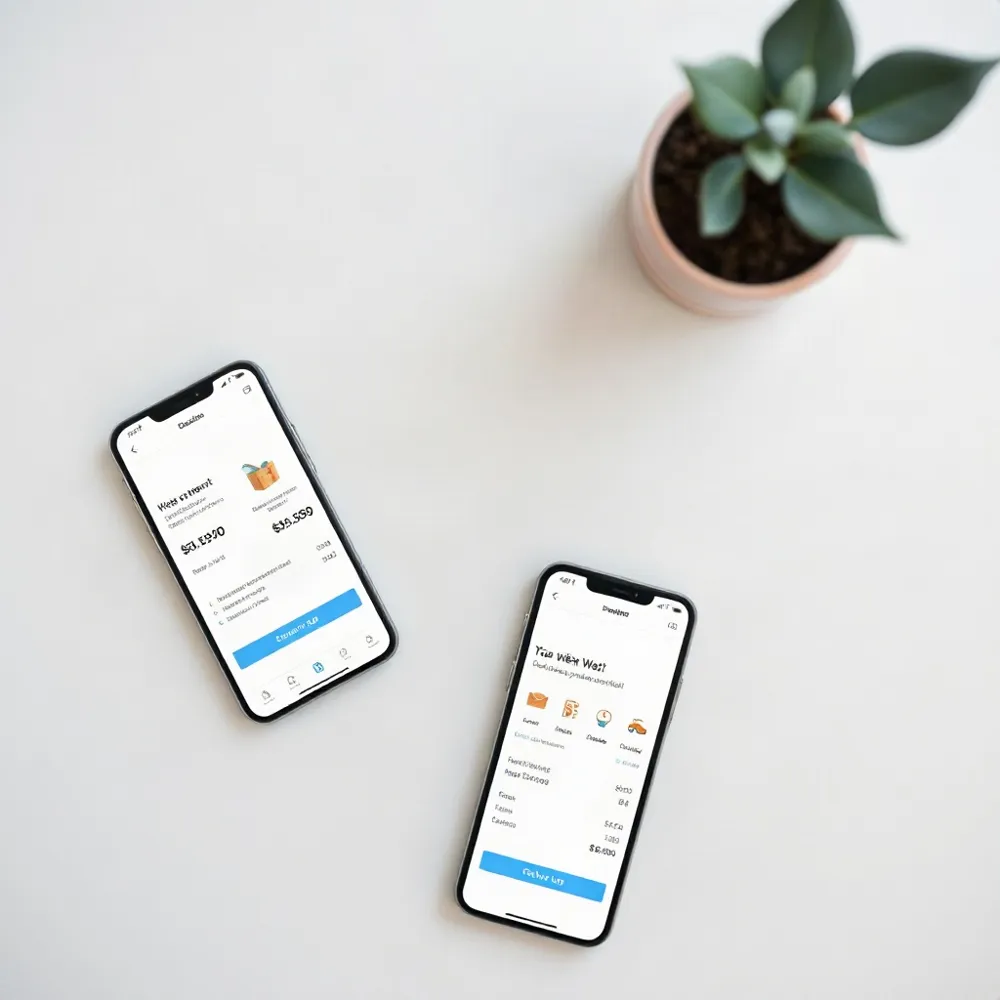
A checkout can look finished and still fail when a customer tries to pay, change an order or choose delivery. Test it from the shopper’s perspective, on both desktop and mobile, before opening the store. A business.gov.au ecommerce guide also advises retailers to make payment methods secure and easy to use.
Walk through the purchase
Start by finding a product through the store’s navigation or search. Add it to the cart, remove it, change the quantity and try valid and invalid discount codes. Complete purchases as a guest and as an account holder if both options are offered. Check that product details, prices and checkout instructions remain clear throughout.
Test every payment method and confirm the gateway is connected to the correct account. Check what customers see when a payment fails, and make sure successful orders appear correctly in the store dashboard and lead to an accurate confirmation page. If you make a real test purchase, follow the provider’s process to refund it and label the order clearly as a test.
Check delivery and follow-up
Use sample addresses to check checkout totals, tax settings and shipping rates across the areas you serve. Tax rules depend on the business and its sales, so confirm your obligations with an accountant or other suitable adviser rather than relying on a generic checklist.
Follow sample orders through fulfilment. Check status changes, stock updates, shipping labels, product weights and dimensions, and any pickup or local-delivery instructions. Make sure customers receive messages at the right time, with accurate order, shipping, refund or cancellation details. Test account, abandoned-cart and subscription messages if your store sends them.
If your store connects to a CRM or email service, confirm the right accounts are authorised and linked. Place a test order to check that customer details and order information sync as expected.
Make The Store Discoverable And Measurable
Before promoting the store, check that search engines can find the pages customers need. Submit the XML sitemap through Google Search Console, review robots.txt to ensure important pages are not blocked, and use canonical links where product variations have similar pages. Fix broken links and crawl errors before launch.
Write page titles, headings, descriptions and URLs that clearly explain what each page offers. Product and category copy should use the language shoppers use, while answering common questions in well-organised sections. This also gives AI-powered search tools clear information to interpret.
Where the platform supports it, check product structured data for accurate details such as price and availability. Add descriptive alternative text to product images so people using assistive technology can understand them, and search systems can interpret their subject. Retailers with a physical shop or local service area should also review their business listing, including its website, hours, products, photos and contact details. business.gov.au’s ecommerce guidance notes that search engines can be an important way for customers to discover products and services.
Set up analytics before opening the store, then place test orders to confirm product views, add-to-cart actions, purchases and revenue are recorded correctly. Check that advertising tags are installed if campaigns are planned, and separate test transactions from genuine sales so early reports remain useful.
After launch, review which channels and pages bring visitors, and where shoppers leave. Use those patterns to decide what to improve, whether that means clearer product information, stronger local pages or a better landing page. SEO is ongoing work, not a one-time setup; adjust your site and visibility as evidence builds.
Secure The Store And Prepare The Team
Security checks should cover the whole shopping journey, not just the homepage. Confirm HTTPS is active on product pages, the cart and checkout. Keep your platform, themes and extensions updated, remove tools you no longer use, limit administrator access and enable two-factor authentication where available.
Set up automatic backups that include both website files and the database. Check that a recent backup completed successfully, then make sure someone on the team knows how to restore it. A backup is only useful if the business can recover the store and its data when something goes wrong.
Review how the store collects and protects customer information, and confirm your payment setup follows your provider’s requirements. Make relevant security information easy to find, alongside clear details about payment and privacy. The Australian Government’s ecommerce guidance also advises online retailers to protect personal information and make terms clear and accessible.
Prepare support staff to answer likely questions about products, payments, delivery and returns. Agree who handles unresolved issues and how they are escalated, so customer messages do not sit unanswered.
If you plan to send promotional email or SMS, obtain consent, identify the business accurately and include a working unsubscribe process. An unsubscribe link does not make an unsolicited message lawful. The Queensland Government’s online business guidance explains that commercial electronic messages must meet consent and identification requirements.
Before launch, confirm that staff understand what the store sells, when it goes live and what each person is responsible for. Prepare consistent answers for predictable questions, such as delivery delays or payment problems, so customers receive clear information from the outset.
Go Live Carefully And Keep Improving

Before opening the store, ask someone unfamiliar with it, ideally a person who matches your intended customer, to complete a purchase while talking through their decisions. Notice where they pause, hesitate or look for help. These moments can reveal friction that your team may miss because it already knows how the store works.
Before removing password protection, check that important pages, contact forms, prices, stock details, policies, analytics and mobile layouts are ready. Clear out test products and placeholder copy, then confirm that the information customers see matches what the business can deliver. The business.gov.au ecommerce guidance also recommends checking that payment methods are secure and easy to use.
Plan promotion around the people available to answer questions and resolve problems. Choose channels that fit your audience and goals, such as social posts or email to contacts who have agreed to receive marketing. Australian small businesses may benefit from a coordinated website and customer communication plan; SmartCompany’s retailer checklist highlights the value of responding to customer enquiries.
Once the store is live, keep an eye on site performance, orders, stock accuracy, customer messages and feedback. Fix issues promptly, then use what shoppers actually do to decide which updates matter most. Use site analytics and customer behaviour to connect site improvements with search visibility and customer needs.
A completed checklist is a starting point, not a promise that the store will never need changes. Review results regularly and consider new tools, including AI-based analysis, only when they address a real business need. A measured cycle of observation and practical updates helps the store keep pace with customers and business priorities.
Launch With Confidence, Then Learn
A store is ready when its parts work together for customers. Product promises, platform choices, page design, legal information, checkout, fulfilment and support all shape the same experience, so a gap in one area can undermine the rest.
Use your checklist as a working plan, not a document to file away. Assign an owner to each unresolved task, agree on what completion looks like and review progress together. For a small business without an in-house digital team, a local agency such as webteam.au can bring web design, search optimisation and digital marketing into one coordinated process, with clear communication and personal support.
After launch, pay attention to customer questions, feedback and store performance. Look for confusing pages, failed orders or delivery issues, then make focused updates and check whether they help. webteam.au’s integrated approach can also help businesses connect website improvements with SEO and marketing activity, rather than treating each channel in isolation.
For an overview of online selling methods, platforms and practical considerations, consult the Australian Government’s ecommerce guidance. Review your plan as the business and its customers change, and keep a clear record of decisions and follow-up work.